Efficient Task Management with ChatGPT Business
Streamlined Task Scheduling
Stay on top of your work with ChatGPT Business's new scheduled tasks. This feature allows teams to automate reminders and recurring jobs, improving overall efficiency.
- Manage reminders directly within ChatGPT.
- Check all tasks on a dedicated page.
- Get notifications only for significant updates.
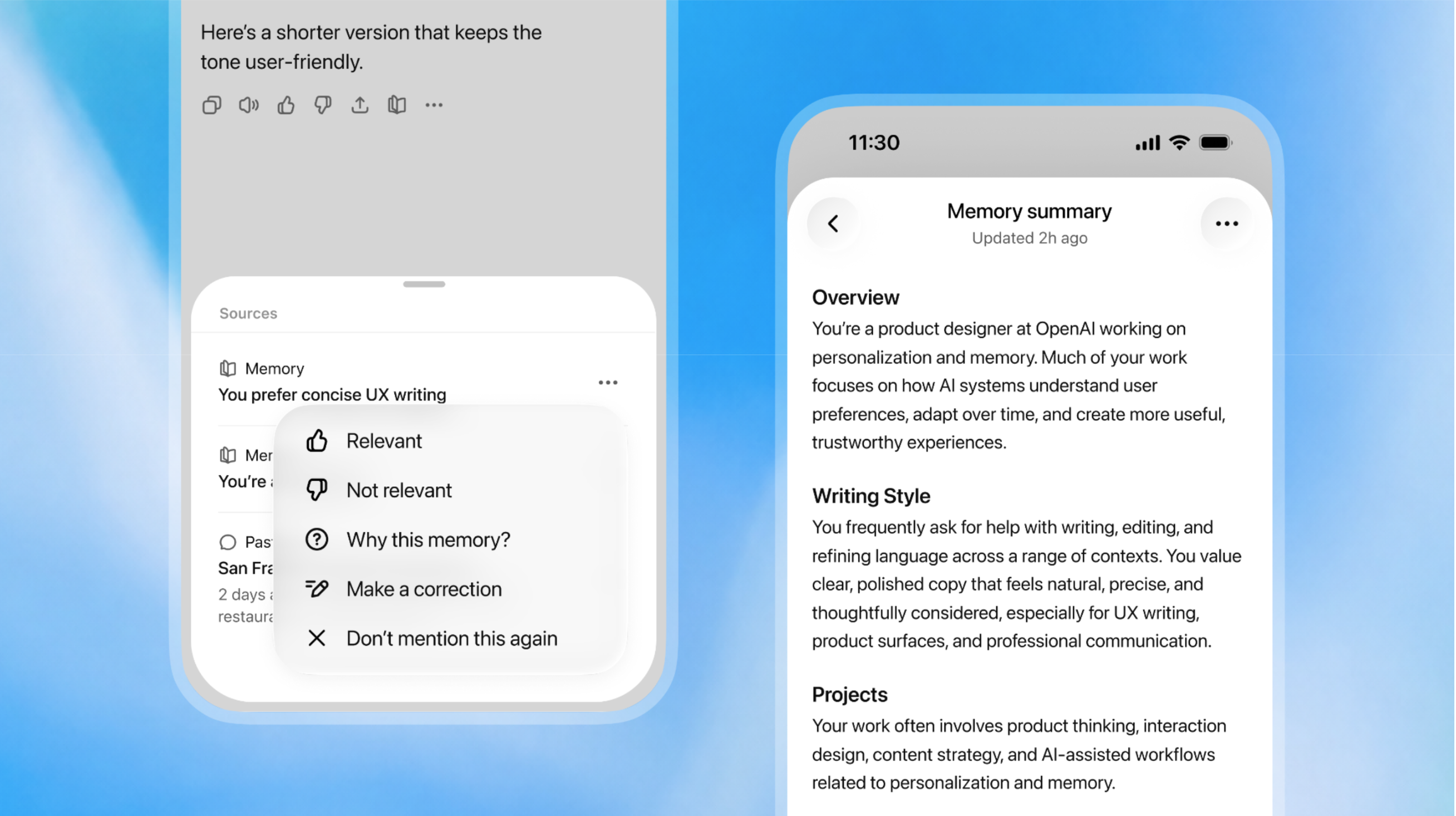
Enhanced Memory for Better Context
The updated memory system ensures that ChatGPT remembers critical details from past interactions. This helps keep responses relevant as your team's projects evolve.
- Review and manage saved memories in settings.
- Correct or delete outdated information easily.
- Personalize interactions based on previous conversations.
Deployment Guide for AI Champions
The OpenAI Academy Champion Deployment Guide aids businesses in implementing AI solutions. It provides insights for gaining executive support and fostering engagement within teams.
- Build a strong launch with clear communications.
- Monitor engagement with included templates and ideas.
Practical Use Cases for Your Team
Here are some practical applications of ChatGPT's new features:
- Use scheduled tasks for reminders on project deadlines.
- Set up recurring tasks for daily reports or updates.
- Maintain project continuity by keeping track of vital information.
- Implement AI-driven weekly summaries of industry trends.
- Automate monitoring for essential project notifications.
Recommended Laptops for AI Use
When utilizing AI tools like ChatGPT, having the right laptop is crucial. Here are some recommended laptops that can enhance your AI experience:
- For high performance, consider the Lenovo ThinkPad X1 Carbon.
- Looking for a versatile option? Check out the Dell XPS 15.
- For a budget-friendly choice, the Acer Aspire 5 is a solid pick.
Ready to enhance your team's productivity? Explore the latest Lenovo laptops now!